AI Agent Hub
AI エージェント / プラグイン情報メディア
← 一覧へ
Plandex
OTHER

Plandex

Plandex

大規模なコードベース変更を計画 → 実行 → ロールバック可能なバージョン管理付きで進める CLI コーディングエージェント。長時間タスクに特化する。

原文: Open source AI coding agent. Designed for large projects and real world tasks.
#CLI#計画駆動#バージョン管理#ai#ai-agents#ai-developer-tools#ai-tools#cli#command-line#developer-tools#git#golang
REPO STATS

リポジトリ統計

⭐ Stars
15.3k
🍴 Forks
1.1k
⚠️ Open Issues
57
🌿 Language
Go
📄 License
MIT
🕒 最終更新
2025.10.04 (7か月前)
📅 公開日
2023.10.25
🌿 Branch
main
README

ドキュメント

— AI による自動翻訳 (2026.05.07 更新)


PRs Welcome Release Release


plandex-ai%2Fplandex | Trendshift

大規模なタスクと実世界のプロジェクト向けに設計された AI コーディングエージェント


💻 Plandex は、複数のステップにわたり数十個のファイルにまたがる大規模なコーディングタスクを計画し実行できるターミナルベースの AI 開発ツールです。最大 200 万トークンのコンテキスト(ファイルあたり約 10 万トークン)を直接処理でき、tree-sitter プロジェクトマップを使用して 2,000 万トークン以上のディレクトリをインデックス化することができます。

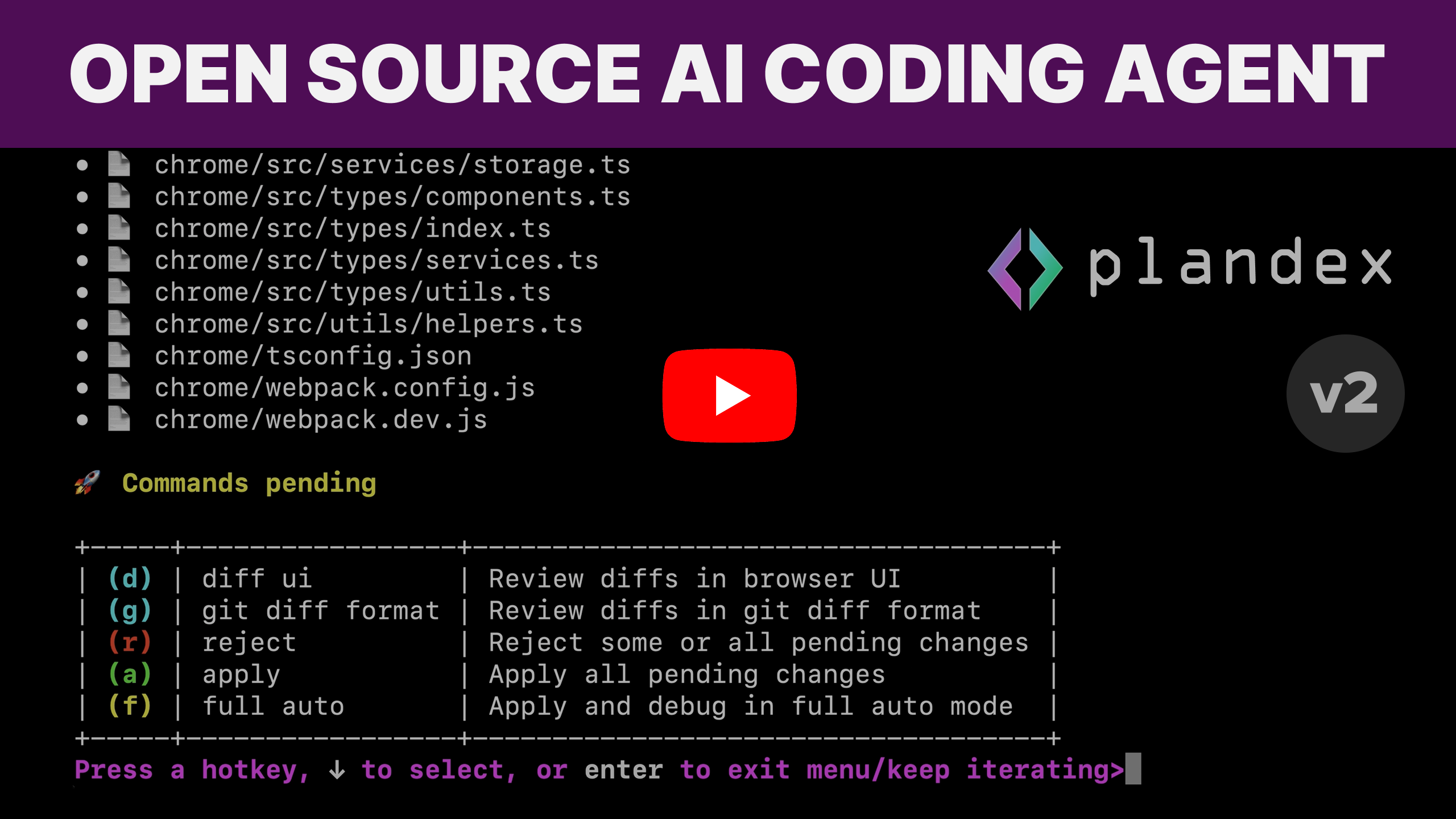
🔬 累積差分レビューサンドボックスにより、AI で生成された変更をプロジェクトファイルとは別に保ちます。コマンド実行は制御されているため、簡単にロールバックしてデバッグできます。Plandex は、プロジェクトをめちゃくちゃにすることなく、AI を最大限に活用するのに役立ちます。

🧠 最高のモデルを組み合わせる — Anthropic、OpenAI、Google、およびオープンソースプロバイダーの最高のモデルを組み合わせて、堅牢なターミナルベースのワークフローで機能とアプリ全体を構築します。

🚀 Plandex は完全な自動化が可能です。関連ファイルを読み込み、変更を計画・実装し、コマンドを実行し、自動的にデバッグできます。ただし、非常に柔軟で設定可能であり、開発者に細かく制御できる機能と必要に応じてステップバイステップのレビュープロセスを提供します。

💪 Plandex は大規模なプロジェクトとファイルに対する耐性を持つように設計されています。他のツールがプロジェクトが一定のサイズを超えたり、変更が複雑になったりするとうまくいかない場合は、Plandex を試してください。

大規模プロジェクトで機能するスマートなコンテキスト管理

  • 🐘 デフォルトモデルパックで 200 万トークンの有効コンテキストウィンドウ。Plandex は各ステップで必要なものだけを読み込みます。

  • 🗄️ 大規模なプロジェクトとファイルで信頼性がある。数十個のファイルにまたがる変更を簡単に生成、レビュー、修正、適用できます。

  • 🗺️ 高速なプロジェクトマップ生成と tree-sitter による構文検証。30 以上の言語をサポートしています。

  • 💰 コンテキストキャッシングは OpenAI、Anthropic、Google のモデル全体で使用され、コストと遅延を削減します。

厳密な制御または完全な自動化 — あなたの選択です

  • 🚦 設定可能な自動化レベル:タスクに応じて完全自動モードから細かい制御まで対応します。

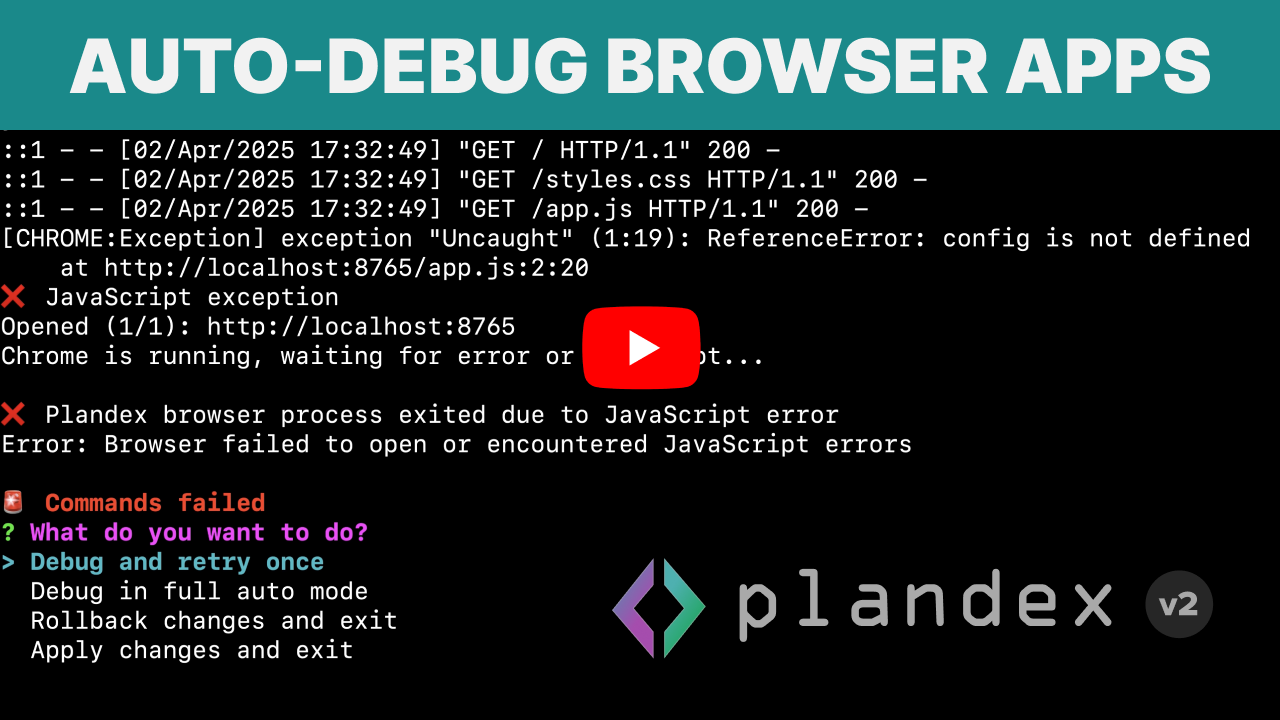
  • 🐞 ターミナルコマンドの自動デバッグ(ビルド、リンター、テスト、デプロイ、スクリプトなど)。Chrome がインストールされている場合は、ブラウザアプリケーションの自動デバッグも可能です。

本番対応の結果が得られるツール

  • 💬 プロジェクト認識チャットモード 実装に進む前にアイデアを具体化するのに役立ちます。質問をしたり、コードベースについて学んだりするのにも最適です。

  • 🧠 複数プロバイダーのモデルを簡単に試す + 組み合わせる キュレートされたモデルパックは、機能、コスト、速度のさまざまなトレードオフ、およびオープンソースとプロバイダー固有のパックを提供します。

  • 🛡️ 正確性を優先した信頼できるファイル編集 ほとんどの編集は迅速で安価ですが、Plandex は必要に応じて構文とロジックの両方を検証し、問題がある場合は複数のフォールバックレイヤーがあります。

  • 🔀 フル機能のバージョン管理 プランの更新ごとに、複数のパスを探索したり異なるモデルを比較したりするためのブランチを含みます。

  • 📂 Git統合 コミットメッセージ生成と任意の自動コミット。

開発者にやさしく、インストールも簡単

  • 🧑‍💻 REPLモード コマンドとファイル読み込みのファジー自動補完付き。任意のプロジェクトで plandex を実行するだけで始められます。

  • 🛠️ CLIインターフェース スクリプト作成またはコンテキストへのデータパイピング用。

  • 📦 ワンライン、ゼロ依存のCLIインストール サーバーを簡単にセルフホストするためのDockerized ローカルモード。信頼性と利便性を強化するためのクラウドホスティングオプション。

ワークフロー 🔄

Plandex workflow

例 🎥


インストール 📥

curl -sL https://plandex.ai/install.sh | bash

注: Windows は WSL を通じてサポートされています。Plandex は WSL シェルでのみ Windows で正しく機能します。Windows CMD プロンプトまたは PowerShell では機能しません。

インストールオプションの詳細。

ホスティング ⚖️

オプション 説明
Plandex Cloud 2025年10月3日現在、段階的に廃止中であり、新規ユーザーを受け付けていません。詳しくはこちら。
セルフホスト/ローカルモード • Docker を使用して Plandex をローカルで実行するか、自分のサーバーでホストします。
• 自分の OpenRouter.ai キー(または 他のモデルプロバイダー のアカウントと API キー)を使用します。
ローカルモードクイックスタート に従って開始します。

プロバイダーキー 🔑

export OPENROUTER_API_KEY=... # if using OpenRouter.ai

Claude Pro/Max サブスクリプション 🖇️

Claude Pro または Max サブスクリプションがある場合、Plandex は Anthropic モデルを呼び出す際にそれを使用できます。Plandex を初めて実行するときに、サブスクリプションを接続したいかどうかを尋ねられます。


始めましょう 🚀

まず、何かを成し遂げたいまたはプロジェクトについてチャットしたいプロジェクトディレクトリcdしてください。新しいプロジェクトを始める場合は、mkdir your-project-dirで最初に新しいディレクトリを作成してください。

cd your-project-dir

新しいプロジェクトの場合は、git リポジトリを初期化することもできます。Plandex はプロジェクトが git リポジトリにある必要はありませんが、git を使用する場合は git とうまく統合されます。

git init

次に、プロジェクトで Plandex REPL を起動してください:

plandex

または短縮形:

pdx

ドキュメント 🛠️


ディスカッションと Discord 💬

フィードバック、質問、バグ報告を自由に行うか、単に参加してください:

フォローと購読


貢献者 👥

⭐️ Plandex にスター、フォーク、探索、貢献してください。やることはたくさんあり、改善できることもたくさんあります。

開発環境をセットアップするための概要です。

— GitHub から取得した原文(一部省略の場合あり)


PRs Welcome Release Release


plandex-ai%2Fplandex | Trendshift

An AI coding agent designed for large tasks and real world projects.


💻  Plandex is a terminal-based AI development tool that can plan and execute large coding tasks that span many steps and touch dozens of files. It can handle up to 2M tokens of context directly (~100k per file), and can index directories with 20M tokens or more using tree-sitter project maps.

🔬  A cumulative diff review sandbox keeps AI-generated changes separate from your project files until they are ready to go. Command execution is controlled so you can easily roll back and debug. Plandex helps you get the most out of AI without leaving behind a mess in your project.

🧠  Combine the best models from Anthropic, OpenAI, Google, and open source providers to build entire features and apps with a robust terminal-based workflow.

🚀  Plandex is capable of full autonomy—it can load relevant files, plan and implement changes, execute commands, and automatically debug—but it's also highly flexible and configurable, giving developers fine-grained control and a step-by-step review process when needed.

💪  Plandex is designed to be resilient to large projects and files. If you've found that others tools struggle once your project gets past a certain size or the changes are too complex, give Plandex a shot.

Smart context management that works in big projects

  • 🐘 2M token effective context window with default model pack. Plandex loads only what's needed for each step.

  • 🗄️ Reliable in large projects and files. Easily generate, review, revise, and apply changes spanning dozens of files.

  • 🗺️ Fast project map generation and syntax validation with tree-sitter. Supports 30+ languages.

  • 💰 Context caching is used across the board for OpenAI, Anthropic, and Google models, reducing costs and latency.

Tight control or full autonomy—it's up to you

  • 🚦 Configurable autonomy: go from full auto mode to fine-grained control depending on the task.

  • 🐞 Automated debugging of terminal commands (like builds, linters, tests, deployments, and scripts). If you have Chrome installed, you can also automatically debug browser applications.

Tools that help you get production-ready results

  • 💬 A project-aware chat mode that helps you flesh out ideas before moving to implementation. Also great for asking questions and learning about a codebase.

  • 🧠 Easily try + combine models from multiple providers. Curated model packs offer different tradeoffs of capability, cost, and speed, as well as open source and provider-specific packs.

  • 🛡️ Reliable file edits that prioritize correctness. While most edits are quick and cheap, Plandex validates both syntax and logic as needed, with multiple fallback layers when there are problems.

  • 🔀 Full-fledged version control for every update to the plan, including branches for exploring multiple paths or comparing different models.

  • 📂 Git integration with commit message generation and optional automatic commits.

Dev-friendly, easy to install

  • 🧑‍💻 REPL mode with fuzzy auto-complete for commands and file loading. Just run plandex in any project to get started.

  • 🛠️ CLI interface for scripting or piping data into context.

  • 📦 One-line, zero dependency CLI install. Dockerized local mode for easily self-hosting the server. Cloud-hosting options for extra reliability and convenience.

Workflow  🔄

Plandex workflow

Examples  🎥


Install  📥

curl -sL https://plandex.ai/install.sh | bash

Note: Windows is supported via WSL. Plandex only works correctly on Windows in the WSL shell. It doesn't work in the Windows CMD prompt or PowerShell.

More installation options.

Hosting  ⚖️

Option Description
Plandex Cloud Winding down as of 10/3/2025 and no longer accepting new users. Learn more.
Self-hosted/Local Mode • Run Plandex locally with Docker or host on your own server.
• Use your own OpenRouter.ai key (or other model provider accounts and API keys).
• Follow the local-mode quickstart to get started.

Provider keys  🔑

export OPENROUTER_API_KEY=... # if using OpenRouter.ai

Claude Pro/Max subscription  🖇️

If you have a Claude Pro or Max subscription, Plandex can use it when calling Anthropic models. You'll be asked if you want to connect a subscription the first time you run Plandex.


Get started  🚀

First, cd into a project directory where you want to get something done or chat about the project. Make a new directory first with mkdir your-project-dir if you're starting on a new project.

cd your-project-dir

For a new project, you might also want to initialize a git repo. Plandex doesn't require that your project is in a git repo, but it does integrate well with git if you use it.

git init

Now start the Plandex REPL in your project:

plandex

or for short:

pdx

Docs  🛠️


Discussion and discord  💬

Please feel free to give your feedback, ask questions, report a bug, or just hang out:

Follow and subscribe


Contributors  👥

⭐️  Please star, fork, explore, and contribute to Plandex. There's a lot of work to do and so much that can be improved.

Here's an overview on setting up a development environment.

RELATED

同じカテゴリの他のツール